Close Menu
    Facebook X (Twitter) Instagram LinkedIn
    Digital Engine Land
    • Home
    • Technology
      • How To
      • Cloud Computing
      • 3D Technology
      • Artificial Intelligence
      • Cloud Technology
      • Hardware
      • Networking
      • Cyber Security
      • Storage
    • Digital Marketing
      • SEO
        • Hyperlinks
        • Relative Links
      • e-commerce
    • Finance
      • Trading
    • Business
    • Software
      • Adobe
        • After Effects
      • SaaS
      • Microsoft
        • Azure
      • Tools
      • Apps
    • About
      • Write For Us
      • Contact Us
      • Privacy Policy
    Digital Engine Land
    Home » Blog » QR Code Scanner, A Web Application That Is Fast And User-Friendly
    Technology

    QR Code Scanner, A Web Application That Is Fast And User-Friendly

    adminBy adminAugust 8, 2024No Comments3 Mins Read
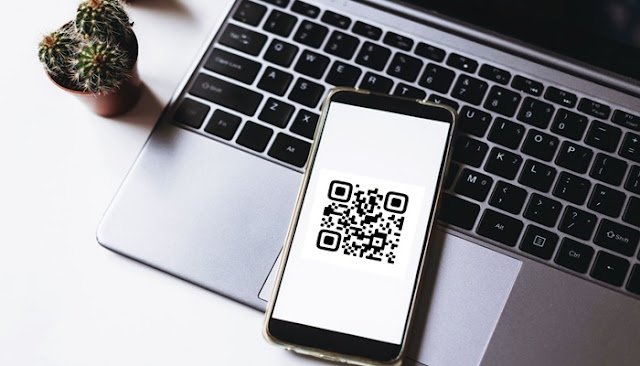
    QR Code Scanner

    A scanner allows you to scan and decode QR codes in a matter of seconds, without having to use any extra software. This is a great asset for businesses that are trying to spread information about their brand, products, and services.

    The QR code scanner is simple to use and can be accessed from any computer or mobile device. Once you have installed the application, you can use it to scan and decode any QR code.

    Table of Contents

    Toggle
    • The Different Types of Scanners
    • Why you should use the QR code scanner?
    • How you can use the QR code scanner?
    • How to configure your scanner

    The Different Types of Scanners

    You can use an online scanner, a free scanner app, or a dedicated scanner app.

    Online scanners can be found on websites like Google and Bing. Just enter the URL of the desired QR code and the scanner will automatically detect and display the code.

    Free scanners are available in the app stores of most mobile devices.

    Dedicated scanners are available for a few different platforms, including Android and iOS. These apps allow you to scan and view QR codes with greater precision and control.

    Why you should use the QR code scanner?

    Scanning QR codes is a great way to get information or engage with customers. Not only can these codes be used to easily share information with others, but they can also be used to engage customers in unique ways.

    For businesses, these codes can be a great way to connect with customers and gather information. QR codes can be used to promote products or services, and can also be used to connect with customers through contests or surveys.

    When used correctly, these codes can be a powerful tool for businesses. By using them to connect with customers and gather information, businesses can increase their sales and marketing efforts.

    How you can use the QR code scanner?

    Scanning QR codes with your smartphone is a great way to get information quickly and easily. You can use the scanner on your phone to get information about specific products, restaurants, or other businesses.

    If you’re looking for a way to use QR codes in your marketing campaigns, scanning them can be a great way to get people interested in your products or services. You can also use QR codes to create a direct link to your website or social media page.

    How to configure your scanner

    To add a new scanner, open the Settings app on your phone, and under “Security & Location” you’ll find a setting called “QR Code Scanner.”

    Tap on this, and you’ll be prompted to add a new scanner.

    First, you need to find the QR code of the object you want to scan. You can do this by scanning a QR code that you found online, or you can scan a code that someone else has sent you.

    Once you’ve found the code, open the scanner setting on your phone, and you’ll be prompted to scan the code. Once the code has been scanned, the setting on your phone will be updated with the information about the QR code.

    Now that the scanner setting on your phone has been updated, you can use it to scan QR codes. To scan a code, simply point your phone’s camera at the QR code, and the phone will automatically scan the code and display the information about it in the QR code scanner on your phone.

    Share. Facebook Twitter Pinterest LinkedIn WhatsApp
    admin

    Related Posts

    ATT My Results: Features & How does Sales Dashboards work

    June 10, 2026

    What is Model Xucvihkds & How to use model Xucvihkds Number

    June 10, 2026

    Increase Viewer Retention with an AI Character That Feels Authentic

    June 9, 2026

    Comments are closed.

    Categories
    • 3D Technology
    • Adobe
    • After Effects
    • Apps
    • Artificial Intelligence
    • Azure
    • Backlinks
    • Backlinks
    • Blockchain
    • Blog
    • Business
    • Career
    • Cloud Computing
    • Cloud Technology
    • Comparison
    • Content Marketing
    • Crypto
    • Cyber Security
    • Development
    • Digital Marketing
    • e-commerce
    • Education
    • Email Marketing
    • Finance
    • Gadget
    • Games
    • Google
    • Google Ads
    • Google Updates
    • Guides
    • Hardware
    • How To
    • Hyperlinks
    • Influencer Marketing
    • Instagram
    • Internet
    • Linkedin
    • Local SEO
    • Machine Learning
    • Marketing
    • Microsoft
    • Networking
    • Reddit
    • Relative Links
    • Review
    • SaaS
    • SEO
    • SEO Audit
    • SEO Audit
    • Social Media
    • Software
    • Storage
    • Technical SEO
    • Technology
    • TikTok
    • Tools
    • Top
    • Trading
    • Twitter
    • Uncategorized
    • VDI
    • Web Design
    • Web Hosting
    • Web Technology
    • What is
    Recent Comments
    • (/|\‿/|\) KRAKEN зеркало на сегодня 2026 () on Solar-Powered Rooftop Decking: Combining Technology and Sustainability
    • Donthegani Navya on Financecub com Guide: Tips for Understanding Finance Easily
    • zoritoler imol on Pi123 – An In-Depth Exploration, Revolutionizing the Industry
    • Donthegani Navya on @ MyFavouritePlaces.org:// Blog: A Traveler’s Ultimate Guide
    • aptive pest control on Bing Webmaster Tools Now Tracks AI Performance

    Digital Engine Land is a trending Technology blog that encompasses categories like Android, Business, How-to articles, blogging tips, software, internet tricks, SEO, Web designing, technology, Cryptocurrency, education and several other aspects of the web technology. Current are accepting guest post on technology & digital marketing from the writers who loves to write on these topics.

    Facebook X (Twitter) Instagram YouTube LinkedIn
    Recent Posts
    • How to Launch Your Influencer or Advertising Business in Dubai
    • How to Generate More B2B Leads Using Free SEO Tools (Step-by-Step Guide)
    • How to Calculate the Premium for a 1 Crore Term Life Insurance Plan
    • What Are the Federal Penalties for Calling a Number on the DNC List?
    • Newsross com: Latest Headlines & Reports | Key Feature | Review
    • Voozon.com: Everything You Need to Know
    Categories
    3D Technology, Adobe, After Effects, Apps, Artificial Intelligence, Azure, Backlinks, Blog, Business, Career, Cloud Computing, Cloud Technology, Content Marketing, Cyber Security, Development, Digital Marketing, E-commerce, Education, Email Marketing, Finance, Gadget, Games, Google Ads, Google Updates, Guides, Hardware, How To, Hyperlinks, Influencer Marketing, Instagram, Internet, LinkedIn, Local SEO, Machine Learning, Marketing, Microsoft, Networking, Reddit, Relative Links, SaaS, SEO, SEO Audit, Social Media, Software, Storage, Technology, Tools
    © 2026 | Digital Engine Land.

    Type above and press Enter to search. Press Esc to cancel.